I am a newbie in Matlab and got some troubles on handling image. This work inspired from the previous post on Stackoverflow forum: question link. I tried to search the best solution to solve my problem and finally found the answer.
As a Matlab newbie, the below codes help me alot!
This is especially when I am trying to execute hundreds of image processing algorithms and need to save all the result without displaying any output on the pop up window.
% Input image
img = imread('c:/images/testImage.jpg');

% Define the figure position
f = figure('Position', [100 100 100 100]);

% Do not display the output image
set(f, 'visible', 'off');

% Scales image data to the full range of the current colormap
imagesc(img);

% "hold on" retains the current graph and adds another graph to it
hold on;

%# define points (in matrix coordinates)
p1 = [10,100];
p2 = [100,20];

%# Plot the points.
%# Note that depending on the definition of the points,
%# You may have to swap x and y
%# Draw diagonal lines across the image
%# In my case, I change the below loop with other image processing algorithm
for i = 1:5
   plot([p1(2)*i,p2(2)*i],[p1(1)*i,p2(1)*i],'Color','r','LineWidth',2)

   % Output file path
   resultImagePath = sprintf('c:/images/resultImage_%d.jpg', i);

   % Save output images
   saveas(f, resultImagePath, 'jpg');
   % See the difference when you execute the below code
   %imwrite(img, resultImagePath, 'jpg');
end

% "hold off" resets hold state to the default behavior
hold off;

% Close the "do-not-display function"
close(f);
Input and output images:

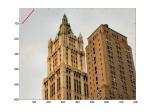
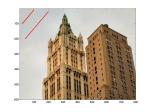
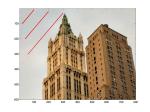


The Real Output of my experiment:


 Catatan Fahmi